History & Analytics
History & Analytics
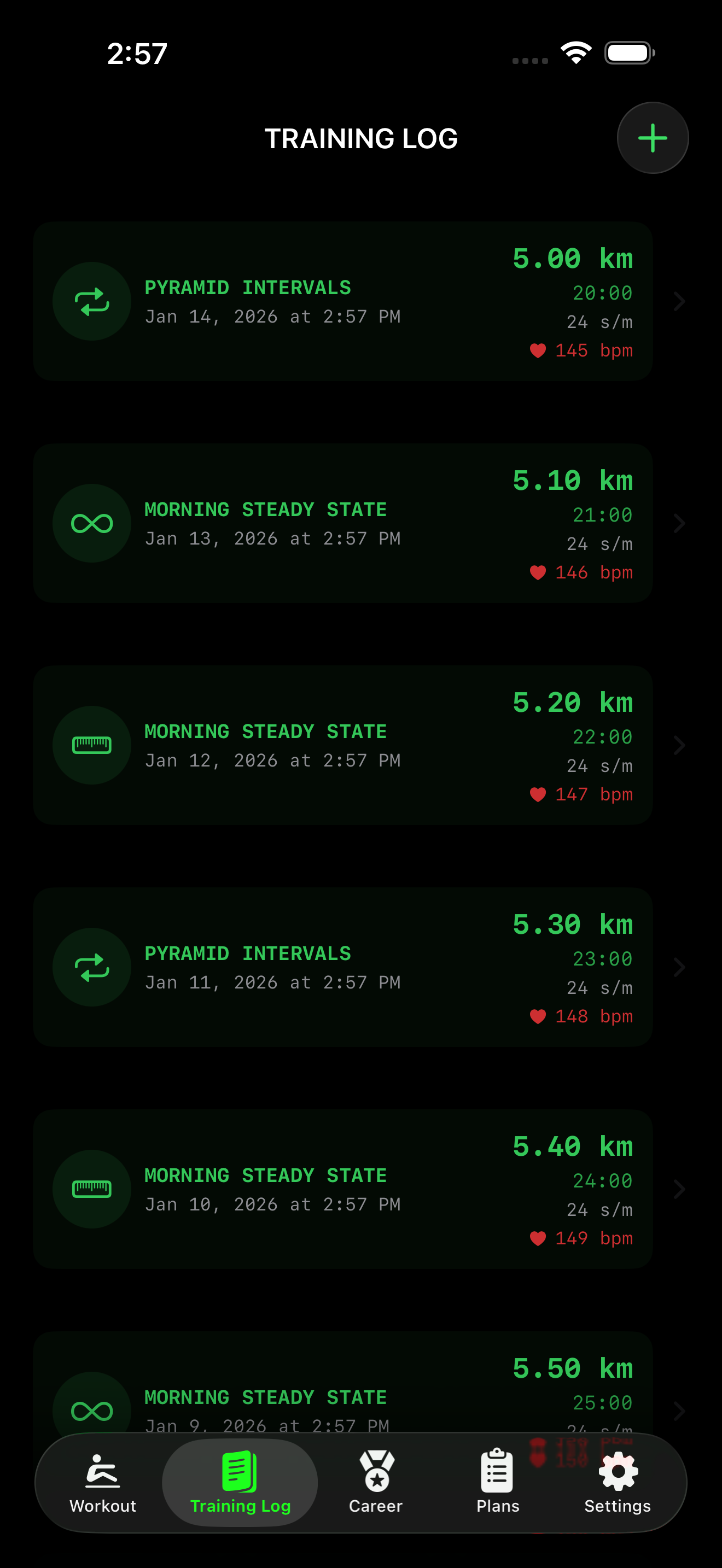
Your effort doesn’t end when the flywheel stops. SplitRowr keeps a detailed log of every session.
Analytics Overview
SplitRowr provides a comprehensive view of your rowing career through the Analytics dashboard.
Lifetime Stats
Track your cumulative achievements across all your workouts:
- Total Distance: See exactly how far you’ve rowed.
- Total Calories: Track your total energy expenditure.
- Total Duration: See the total time you’ve spent on the machine.
- Total Strokes: A count of every stroke you’ve taken.
- Best Split: Your all-time fastest 500m split.
- Max Power: Your peak wattage record.
Performance Trends
Swipe through the summary cards to see how you are performing over different time periods:
- This Week: Your activity for the current week.
- This Month: A summary of your monthly progress.
- Lifetime: Your all-time stats.
Each card includes comparison trends (e.g., volume change vs. previous period) so you can quickly see if you are ramping up or winding down.
The Logbook
Tab over to the History icon to see a list of your past workouts.
- Calendar View: See your consistency at a glance.
- List View: Detailed chronological list of sessions.
Stretching Indicators
SplitRowr now integrates your mobility routines directly into workout records in the Logbook. Instead of creating separate entries for warmup and cooldown sessions, stretching indicators are attached to your main workout:
- Warmup Routine Name: See which pre-workout routine you completed before rowing.
- Cooldown Routine Name: Track which post-workout recovery routine you followed.
- Automatic Tracking: No need to manually log mobility sessions—SplitRowr handles it automatically.
This streamlined approach keeps your Logbook clean while ensuring you have a complete record of both your rowing performance and mobility work.
Workout Details
Tap on any workout to dive deep:
- Splits: View your performance breakdown by lap (e.g., every 500m or 1000m).
- Charts: Visualize your signals (Pace, Watts, HR, SPM) over the duration of the workout.
- PB Badges: We automatically tag workouts that set a new Personal Best for common distances (2k, 5k, 10k).
Apple Health Integration
SplitRowr is a good citizen of the Apple Health ecosystem.
- Active Energy: We save your calorie burn.
- Workouts: Each session is saved as a “Water Sports” or “Rowing” workout.
- Heart Rate: We save high-resolution heart rate samples associated with the workout.
Strava Integration
SplitRowr allows you to sync your rowing workouts directly to Strava.
- Auto-Export (Pro): If you are a Pro subscriber, you can enable “Auto-Export” in Settings. Your workouts will automatically upload to Strava as soon as you finish and save them.
- Manual Export: Free users can export their workouts as TCX files from the Workout Details screen (Share icon) and upload them to Strava manually.
- Rich Data: Your upload includes Distance, Time, Heart Rate, Power (Watts), and Stroke Rate data.