Workout Experience
Workout Experience
The core of SplitRowr is the workout screen. We have designed it to be readable, high-contrast, and focused on your performance.
The Dashboard
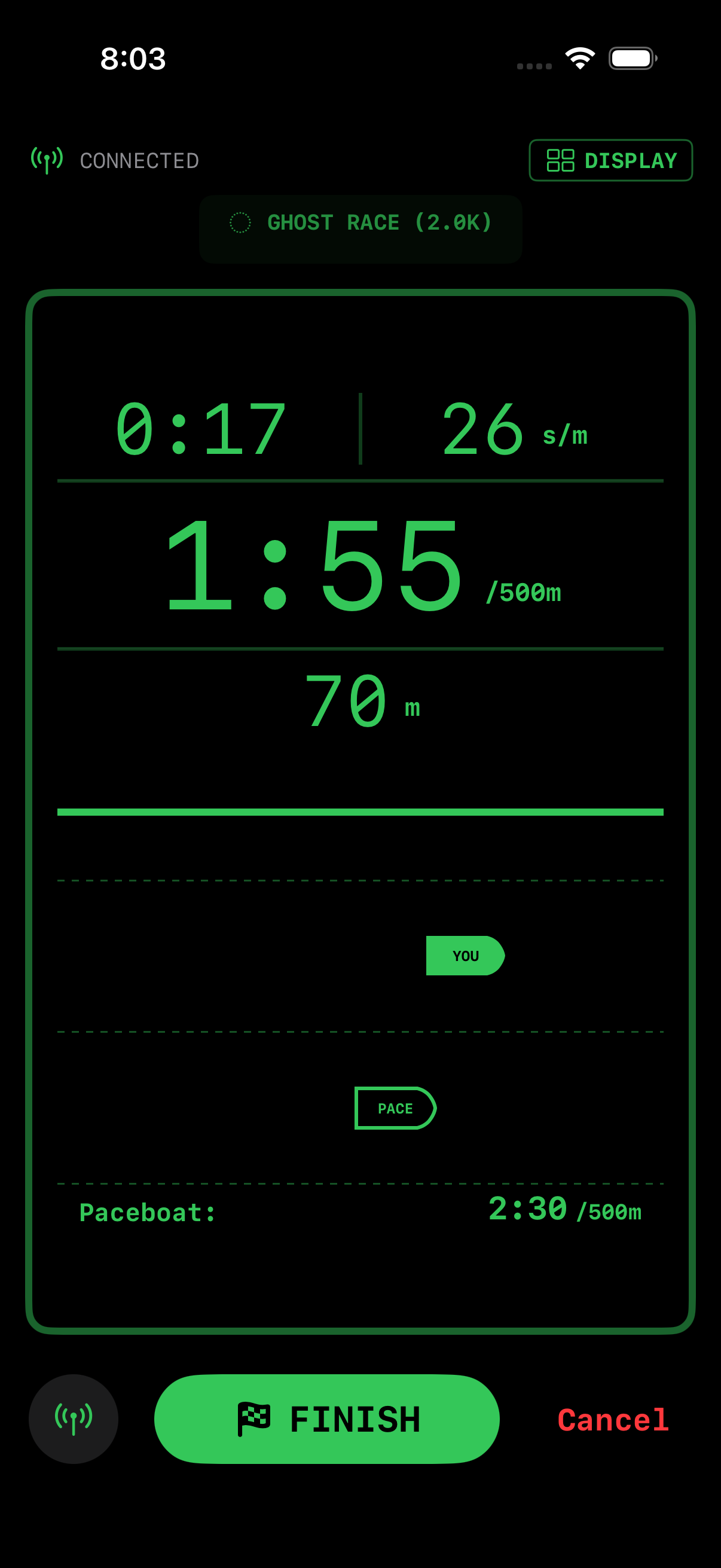
During a workout, you will see a grid of live metrics:
- Big Number: Your primary metric (usually Split/500m or Watts).
- Stroke Rate (SPM): Your rhythm in strokes per minute.
- Distance: Total meters rowed.
- Time: Elapsed workout time.
- Heart Rate: Real-time pulse (if a monitor is connected).
Display Modes
You can toggle between different views by swiping or tapping the layout button:
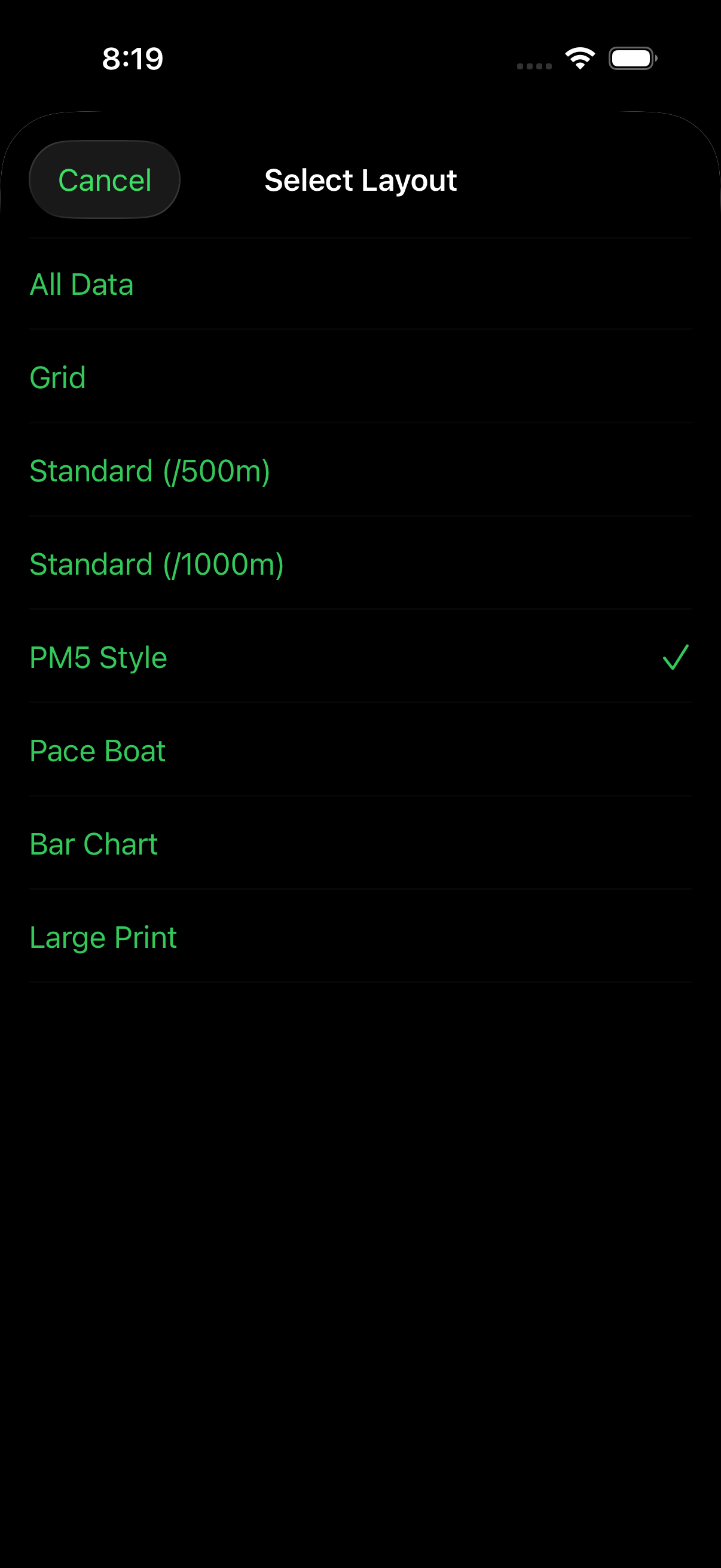
- Classic Grid: The standard view with all key data points.
- Focus Mode: highlights just one metric (e.g., Watts) for intense interval focus.
- Projections: Shows your estimated finish time or distance based on current pace.
Ghost Pacing
Want to race? Set a Target Pace before you start.
- A visual “Ghost” boat will appear on the progress bar.
- You will see indicators showing if you are Ahead (+) or Behind (-) your target.
Audio Cues
Stay in the zone without looking at the screen. SplitRowr can speak your metrics to you.
- Triggers: Set cues to play every 500m, every 2 minutes, or upon crossing heart rate zones.
- Customization: Choose which metrics are spoken (e.g., “Pace and Distance”).
- Voice: Uses high-quality iOS text-to-speech voices.
Mobility Routines
SplitRowr includes a built-in mobility system to help you warm up before rowing and cool down after your workout.
Pre-Workout Warmup
Before you start rowing, SplitRowr suggests appropriate warmup routines tailored to your workout type and intensity. These routines help prepare your body for the demands of rowing:
- Dynamic Stretches: Movement-based stretches that activate key rowing muscles.
- Timer Support: Built-in timers ensure you spend the right amount of time on each movement.
Post-Workout Cooldown
After completing your row, SplitRowr provides suggested cooldown routines to aid recovery:
- Targeted Recovery: Focus on muscle groups used most during rowing (glutes, hamstrings, shoulders, back).
- Flexibility Training: Static stretches designed to improve range of motion.
- Automatic Logging: All mobility sessions are automatically saved to HealthKit and SwiftData alongside your workout data.
Guided Stretching Interface
The stretching interface features:
- Timer Support: Follow on-screen timers for each stretch.
- Routine Progress: Track which stretches you’ve completed in your current routine.
- HealthKit Integration: Mobility workouts count towards your Activity Rings.

Note: Demo Mode supports mobility routines, allowing you to test the stretching features without connecting to a rower or heart rate monitor.
Post-Workout Summary
When you complete your workout, SplitRowr provides a comprehensive summary screen with quick access to the most important actions:
- Cooldown Card: Prominently displayed as a primary action, allowing you to immediately start a guided cooldown routine.
- Export: Access share options in the top-right corner to export your workout data to various formats or platforms.
- Detailed Metrics: Review your splits, average pace, peak watts, and other performance data.
The Cooldown card is designed to help you transition smoothly from your row to recovery, ensuring you don’t skip essential mobility work.